GitHub xây dựng Agent Host Protocol để phiên làm việc của agent tiếp tục trên nhiều thiết bịBuilding the Agent Host Protocol for sessions that continue across devices
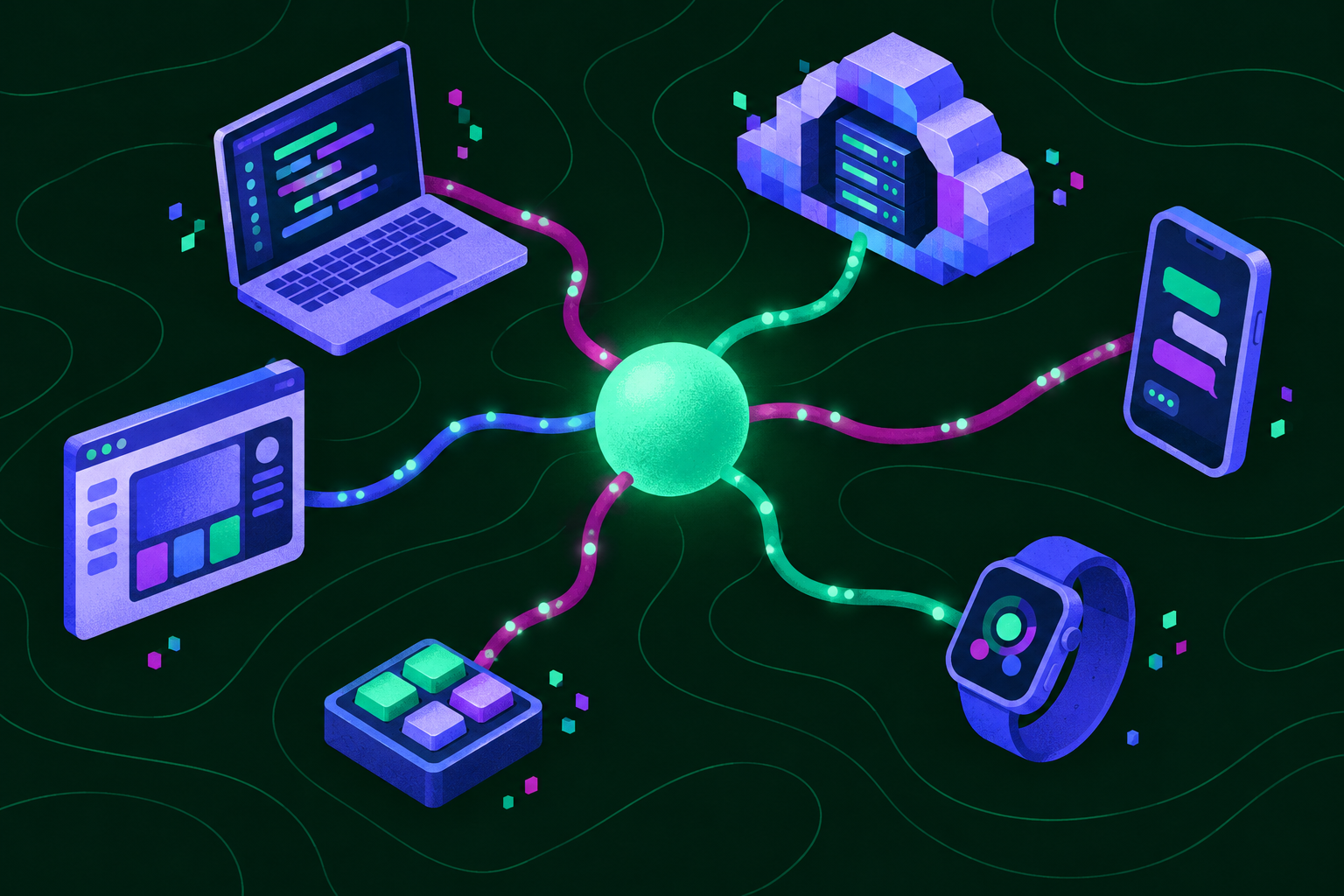
GitHub chia sẻ cách xây dựng Agent Host Protocol mở để giữ các phiên làm việc của agent luôn truy cập được trên các trình soạn thảo, ứng dụng, điện thoại và đám mây.GitHub shares how it built the open Agent Host Protocol to keep your agent sessions accessible across editors, apps, phones, and the cloud.
Một phiên agent bị đứt khi bạn rời máy tính không còn là chuyện phải chấp nhận: GitHub đang xây dựng Agent Host Protocol mở để phiên đó vẫn truy cập được khi bạn chuyển sang editor khác, ứng dụng, điện thoại hay đám mây. Thông điệp chính rất rõ: phiên làm việc thuộc về luồng công việc liên tục của developer, không nên bị khóa trong một thiết bị hay giao diện nơi nó bắt đầu.
Thay đổi gì
Thay đổi cốt lõi không nằm ở một giao diện mới, mà ở lớp kết nối nằm giữa các giao diện. Agent Host Protocol tách câu hỏi “phiên đang được điều phối ở đâu” khỏi câu hỏi “developer đang điều khiển phiên bằng thiết bị nào”. Thay vì để mỗi bề mặt — editor, một ứng dụng hay điện thoại — tự giữ một trải nghiệm riêng, GitHub hướng tới một giao thức chung để các bề mặt cùng tiếp cận phiên agent.
Vì là một giao thức mở, tham vọng không dừng ở nút chuyển thiết bị trong một sản phẩm đơn lẻ. Đơn vị được bảo toàn là phiên làm việc, không phải cửa sổ đang mở. Trọng tâm thiết kế vì thế dịch từ việc tối ưu một ứng dụng chứa mọi thứ sang phân vai rõ hơn: một nơi có thể khởi tạo phiên, một nơi khác tiếp nhận, và một môi trường khác nữa tiếp tục xử lý.
Điểm cần nhớ: phiên agent phải đi theo developer, không phải developer phải quay lại đúng thiết bị cũ để tiếp tục phiên.
Vì sao dev cần quan tâm
Công việc với agent hiếm khi gói gọn trong một lần ngồi trước máy. Một phiên có thể bắt đầu khi đang viết code, kéo dài qua lúc rà soát và chờ kết quả, rồi cần được xem lại khi developer đã rời bàn làm việc. Nếu phiên bị khóa ở thiết bị ban đầu, mỗi lần chuyển chỗ đều có nguy cơ phải dựng lại ngữ cảnh, tìm lại điểm đang dở và giải thích lại mục tiêu.
Protocol nhắm thẳng vào điểm gãy đó: khi editor, ứng dụng, điện thoại và đám mây cùng truy cập được một phiên, chuyển thiết bị trở thành thao tác tiếp nối thay vì bắt đầu lại. Điện thoại không nhất thiết thay thế máy phát triển; giá trị của nó là không để phiên biến mất khỏi tầm tay khi developer di chuyển. Đám mây cũng không chỉ là thêm tài nguyên, mà là điểm truy cập giúp phiên bớt phụ thuộc vào chiếc máy trước mặt.
Với đội ngũ xây dựng công cụ agent, bài học lớn hơn là tính tương tác: client khác nhau cần tiếp cận được phiên, còn host khác nhau cần trình bày phiên theo cách dùng chung. Lợi thế vì thế dịch từ việc giữ người dùng trong một giao diện sang chất lượng của từng giao diện và từng host.
Chi tiết cách hoạt động
Ở mức GitHub mô tả, protocol là cầu nối giữa host — phía làm cho phiên agent tồn tại và có thể truy cập — và các điểm truy cập như editor, ứng dụng, điện thoại hoặc môi trường đám mây. Màn hình chỉ là điểm chạm tại một thời điểm; phiên mới là thực thể cần được duy trì xuyên qua các điểm chạm đó.
Bài toán này khó hơn việc đăng nhập cùng tài khoản trên hai máy. Đồng bộ tài khoản có thể đưa người dùng tới cùng một dịch vụ, nhưng chưa bảo đảm họ gặp lại đúng phiên đang dang dở tại đúng điểm tiếp nối. Protocol hướng tới lớp trừu tượng dành riêng cho phiên agent, để “tiếp tục” là thuộc tính của hệ thống.
| Bề mặt | Vai trò trong trải nghiệm liên tục | Điểm không được đứt |
|---|---|---|
| Editor | Khởi tạo hoặc tiếp tục công việc gắn với code | Đúng phiên đang làm |
| Ứng dụng | Một điểm truy cập khác ngoài editor | Khả năng gặp lại phiên |
| Điện thoại | Truy cập khi developer rời máy tính | Tính sẵn sàng của phiên |
| Đám mây | Điểm truy cập không gắn với thiết bị cá nhân cụ thể | Việc tiếp tục ngoài máy ban đầu |
Bảng trên tóm tắt các bề mặt GitHub nêu, không phải danh sách tích hợp riêng lẻ đã được công bố. Chất liệu nguồn đi kèm chưa nêu tên API, phương thức, lệnh cài đặt hay cấu hình cụ thể, nên không thể suy diễn những chi tiết đó thành thông số kỹ thuật. Tương tự, “mở” mô tả định hướng của protocol; nó không tự động có nghĩa mọi editor, ứng dụng hay host hiện hữu đều đã tương thích.
Cách dùng thử
Phần chất liệu công bố đi kèm chưa cung cấp bước đăng ký, liên kết tải xuống, phiên bản, lệnh chạy thử hay lịch triển khai cụ thể. Vì vậy, không có quy trình cài đặt nào để làm theo trong bài này, và người đọc không nên tin vào bất kỳ lệnh hay gói tải xuống nào không xuất phát từ công bố chính thức.
Cách tiếp cận đúng lúc này là dùng protocol làm thước đo khi đánh giá hoặc thiết kế công cụ agent. Hãy kiểm tra ba câu hỏi: phiên có còn truy cập được khi đổi editor không; có thể gặp lại phiên trên điện thoại hoặc qua đám mây không; và khả năng tiếp tục đó dựa trên protocol mở hay chỉ là tính năng khép kín của một ứng dụng.
Với nhóm đang tự xây agent, hãy tách rõ đâu là phiên, đâu là host giữ phiên và đâu là client hiển thị. Cách tách đó tránh khóa trải nghiệm vào một thiết bị ngay từ đầu và giúp kiến trúc sẵn sàng hơn nếu protocol được triển khai rộng.
An agent session that breaks when you leave your computer no longer has to be accepted: GitHub is building the open Agent Host Protocol so that the session remains accessible when you move to another editor, an app, a phone, or the cloud. The main message is clear: a work session belongs to the developer's continuous workflow and should not be locked inside the device or interface where it began.
What changed
The core change is not a new interface, but the connection layer between interfaces. Agent Host Protocol separates the question of “where is the session being coordinated?” from “which device is the developer using to control the session?” Instead of letting each surface — an editor, an app, or a phone — keep its own separate experience, GitHub is aiming for a common protocol through which different surfaces can reach the same agent session.
Because it is an open protocol, the ambition does not stop at a device-switching button inside a single product. The unit being preserved is the work session, not the window currently open. The design focus therefore shifts from optimizing one application that contains everything to clearer division of roles: one place may start a session, another may receive it, and yet another environment may continue processing it.
The point to remember: the agent session should follow the developer; the developer should not have to return to the exact same old device to continue the session.
Why developers should care
Work with an agent rarely fits neatly into one sitting at a machine. A session may begin while writing code, continue through review and waiting for results, and then need to be revisited after the developer has left the desk. If the session is locked to the original device, every move risks forcing the developer to rebuild context, find the unfinished point again, and explain the goal all over again.
The protocol targets that break directly: when an editor, an app, a phone, and the cloud can all access one session, switching devices becomes an act of continuation rather than starting over. A phone does not necessarily replace the development machine; its value is keeping the session within reach while the developer is moving. The cloud is likewise not just extra resources, but an access point that makes the session less dependent on the machine in front of the developer.
For teams building agent tools, the larger lesson is interoperability: different clients need to be able to reach a session, while different hosts need to present sessions in a shared, usable way. The advantage therefore shifts from keeping users inside one interface toward the quality of each individual interface and each host.
How to try it
The accompanying published material does not provide registration steps, a download link, a version, a trial command, or a specific rollout schedule. There is therefore no installation process to follow in this article, and readers should not trust any command or download package that does not come from an official announcement.
The right approach for now is to use the protocol as a yardstick when evaluating or designing agent tools. Check three questions: does the session remain accessible after switching editors; can the session be found again on a phone or through the cloud; and is that continuation based on an open protocol or only on a closed feature of one application?
For teams building their own agent, clearly separate what the session is, what the host holding the session is, and what the displaying client is. That separation avoids locking the experience to one device from the start and makes the architecture readier if the protocol is implemented more widely.
How it works in detail
At the level GitHub describes, the protocol is a bridge between a host — the side that makes an agent session exist and remain accessible — and access points such as an editor, an app, a phone, or a cloud environment. The screen is only a touchpoint at a given moment; the session is the entity that must be maintained across those touchpoints.
This problem is harder than signing in with the same account on two machines. Account sync may bring a user to the same service, but it does not guarantee that they will find the same unfinished session at the exact point of continuation. The protocol aims at an abstraction layer dedicated to agent sessions, so that “continue” becomes a property of the system.
| Surface | Role in the continuous experience | What must not break |
|---|---|---|
| Editor | Start or continue work connected to code | The exact session in progress |
| App | Another access point outside the editor | The ability to find the session again |
| Phone | Access when the developer leaves the computer | The session's availability |
| Cloud | An access point not tied to one specific personal device | Continuation beyond the original machine |
The table above summarizes the surfaces GitHub names; it is not a list of separately announced individual integrations. The accompanying source material does not name a specific API, method, installation command, or configuration, so those details cannot be inferred into technical specifications. Likewise, “open” describes the protocol's direction; it does not automatically mean every existing editor, app, or host is already compatible.
🔗 Nguồn tham chiếuSource: GitHub Blog